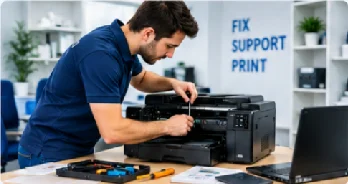
PRINTER & OUTLOOK SUPPORT

Something not working? Let’s get it working again.

Having trouble with your printer or Outlook? We can help. Our support experts can diagnose printer errors, setup difficulties, and more. We’ll identify what’s going wrong and guide you toward the right solution.

Expert Support Fast Troubleshooting Multiple Brands
PRINTER & OUTLOOK SUPPORT
Printer ServicesPrinter Troubleshooting & Diagnostics
Outlook ServicesEmail Synchronisation & Connectivity
Your PC · Our Expertise
SERVICE OVERVIEW

Whatever the problem, we’ll help you fix it.

Whether your printer is offline, refusing to print, showing an error, or having connection problems, our team can help you troubleshoot the issue and get things working again.

Printer Services

Get practical help with printer setup, troubleshooting, maintenance, and configuration for printers and multifunction devices.

  • Printer Troubleshooting & Diagnostics
  • Hardware Repairs & Maintenance
  • Driver Installation & Software Configuration
  • Network Printer Setup & Troubleshooting
  • Print Queue Management
  • Printer Cleaning & Maintenance
  • Printer Upgrades & Configuration
Explore Printer Services →

Outlook Services

Having trouble with Outlook? We can help with account setup, email issues, synchronisation, connectivity, search problems, and other common Outlook issues.

  • Outlook Email Troubleshooting
  • Email Send & Receive Issues
  • Outlook Account Setup & Configuration
  • Email Synchronisation & Connectivity
  • Outlook Profile Setup & Repair
  • Calendar & Meeting Troubleshooting
  • Outlook Search & Indexing Issues
  • Outlook Performance & Error Resolution
Explore Outlook Services →
Support Stats
97,000+
Customers Helped
20,000+
Issues Resolved
10,000+
Brands Supported
15
Years of Experience
Our Process

Bring your printer problems back under control.

Getting technical support shouldn’t feel complicated. Tell us what’s happening, and we’ll help you work through the problem step by step.

1

Step 1 — Tell Us What’s Wrong

Tell us what’s happening with your printer or Outlook account. The more details you can provide, the easier it is for us to understand the issue.

2

Step 2 — We’ll Find the Problem

We’ll look at the symptoms, check the likely causes, and help narrow down what’s preventing your printer or Outlook from working properly.

3

Step 3 — We’ll Help Fix It

Once we know what’s causing the problem, we’ll guide you through the appropriate solution and help get things working normally again.

Testimonials

Here’s What Our Clients Say

HP Printer Offline

“My HP printer suddenly went offline, and I couldn’t figure out why. The PC Support Expert team helped me troubleshoot the connection and get my printer working again.”

CM
Carla M.Tampa, FL
Outlook Stuck in Outbox

“My emails were stuck in Outlook, and I couldn’t send anything. PC Support Expert helped me identify the problem and get everything back to normal.”

DR
Devon R.Columbus, OH
Canon PIXMA Paper Jam

“My Canon printer kept getting paper jams, even after I cleared the paper. I found PC Support Expert, and they helped me figure out what was causing the issue and fix it.”

PS
Priya S.San Jose, CA
Support Plans

Choose a Plan That Works for You.

Whether you need occasional help with one device or ongoing technical support for your business, choose the plan that fits your needs.

BASIC PLAN

For individual users who need help with everyday printer and Outlook issues.
  • Up to 3 support tickets per month
  • 1 printer and 1 Outlook account
  • Support for 1 device
  • Standard troubleshooting
  • Remote technical assistance
  • Email and printer setup support
Get a Quote →

PRO PLAN

For businesses that need broader coverage and ongoing technical support.
  • Unlimited support tickets
  • Up to 10 printers and 10 Outlook accounts
  • Support for up to 10 devices
  • Advanced and complex troubleshooting
  • Network printer and MFP support
  • Multi-user support
  • Priority technical assistance
Get a Quote →
SUPPORT

FAQs

My printer is displaying Offline. Can I get some help with that?
Yes, we could check the connection, the network settings, the drivers, and other common reasons why a printer might appear to be offline.
Although my printer is connected it still won’t print, what should I do?
This may occur due to a jammed print queue, a driver problem, a connection issue, or incorrect printer settings. We’ll assist in identifying what is preventing the print job from proceeding.
Can you assist me in setting up my printer with Wi-Fi?
Yes, we will show you how to connect your printer to Wi-Fi and get it recognised by your computer or network.
The printer is always displaying errors or having paper jams, can you sort this out?
We will assist you in diagnosing repeated printer errors, paper jams, and other common problems in order to find out what might be causing them.
Can I assist you with the installation of printer drivers and software?
Yes, we will assist you with the installation of the driver, the printer software, and with the configuration so that your computer is able to communicate properly with the printer.
Why are the emails I send in Outlook still remaining in the Outbox?
There are a number of possible causes, such as problems with the connection, the account, the attachment, or the Outlook settings. Pc Support Expert can assist you in resolving the issue and get your email sending again.
My Outlook is not syncing. Can you help?
Yes, we are able to deal with the common Outlook problems relating to synchronization and connectivity.
Can I have your assistance with setting up or repairing my Outlook account?
Yes, we are able to provide help with configuring an Outlook account, setting up the profile, and handling other common account-related issues.
Are you compatible with different printer brands and various Outlook configurations?
Certainly, we do support a number of printer manufacturers and the usual Outlook settings. We can understand your problem once you describe, feel free to get in touch with us.
How can I get help if my printer or Outlook stops working?
You just need to get in touch with us or ask for support and let us know what is not working. We’ll first understand the problem and then assist you in working out the next correct step.